Why Does the Belt Remain Unstable After Installing a Belt Tracking Device?
In conveyor systems, persistent belt mistracking is often addressed by adjusting idlers or installing an automatic belt tracking device. However, some belts still respond slowly, overcorrect, or oscillate from side to side despite the installation.
For example, the tracking device may respond only after the belt has drifted significantly off-center. In other cases, the belt returns to center but continues moving toward the opposite side. Repeated adjustments may provide temporary improvement, yet the problem returns during operation.
These issues may involve the tracking device's installation position, belt-to-roller contact, surrounding equipment, or belt deformation. An important principle is that belt movement is continuously influenced by idlers, pulleys, and other contact components along the conveyor. The tracking device must work in coordination with these conditions to maintain stable belt alignment.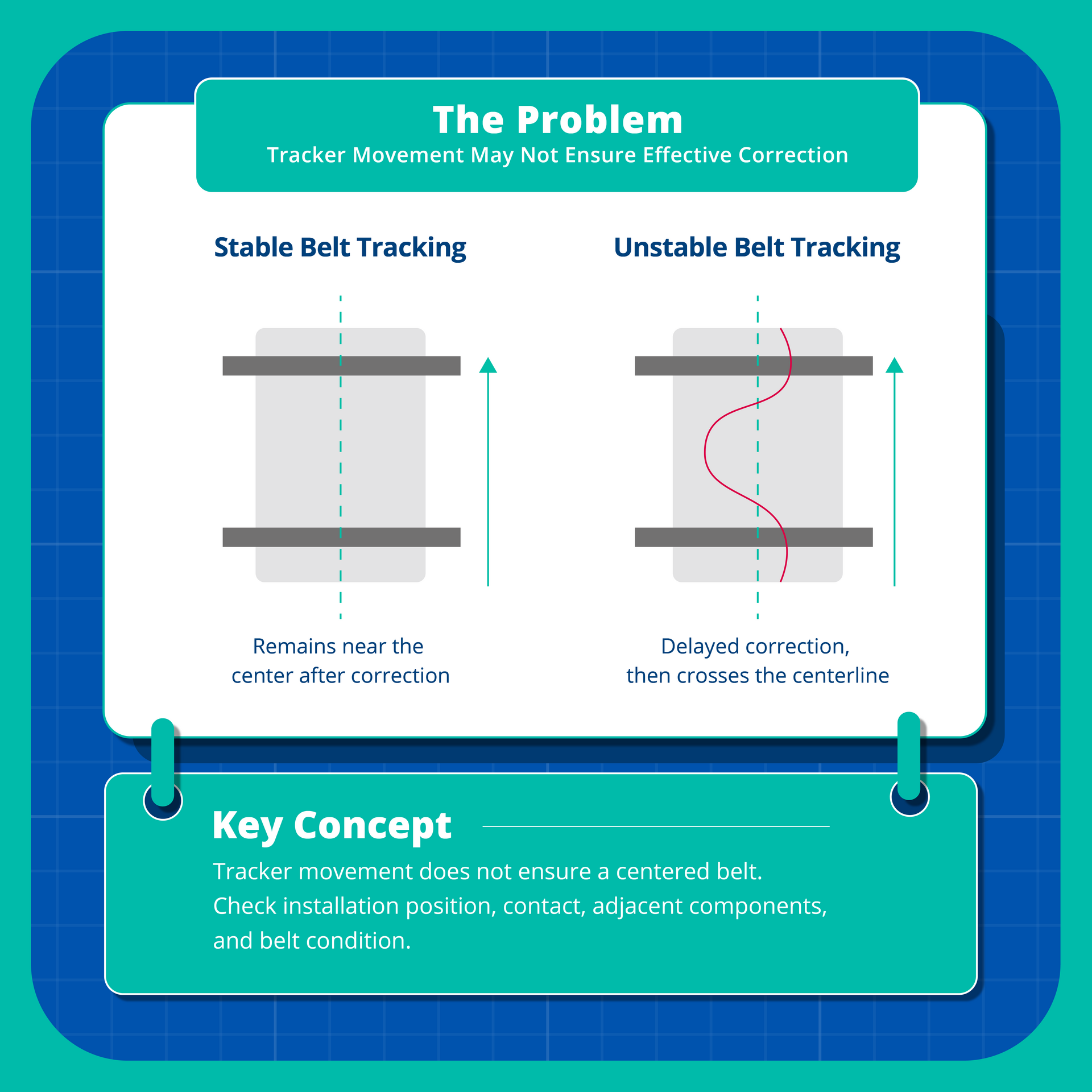
Q: Why Does the Belt Still Mistrack After Installing an Automatic Tracking Device?
Automatic belt tracking devices typically respond mechanically to belt deviation by adjusting the angle of a training idler, generating a guiding force that helps return the belt to its intended path.
However, the belt does not return to center immediately after passing the tracking roller. Tracking performance depends on belt tension, running direction, roller contact, and upstream and downstream equipment configurations. When mistracking persists, it is important to determine whether the device provides insufficient correction or other components cause the belt to deviate again after correction.
Four key factors should be examined.
1. Improper Installation Position: Too Close to Interference Sources
Belt mistracking often originates from specific equipment conditions, such as misaligned idlers, material buildup, or components applying lateral forces. If the tracking device is installed too close to these interference sources, the belt may remain subject to the original disturbance even while being corrected.
Another consideration is that the point where mistracking becomes visible may differ from where it originates. For example, after passing a misaligned idler, the belt may gradually change direction, with noticeable deviation appearing farther downstream. Therefore, upstream rollers and equipment should also be inspected.
How to Check On-Site
Observe how the belt deviates along its running direction. Identify where the deviation begins and compare the tracking device's position with nearby interference sources. If the belt improves after passing the tracking device but deviates again downstream, check whether subsequent rollers or components are altering its direction.
Installation suitability should be assessed according to equipment layout, operating conditions, and the device's design requirements, rather than distance alone.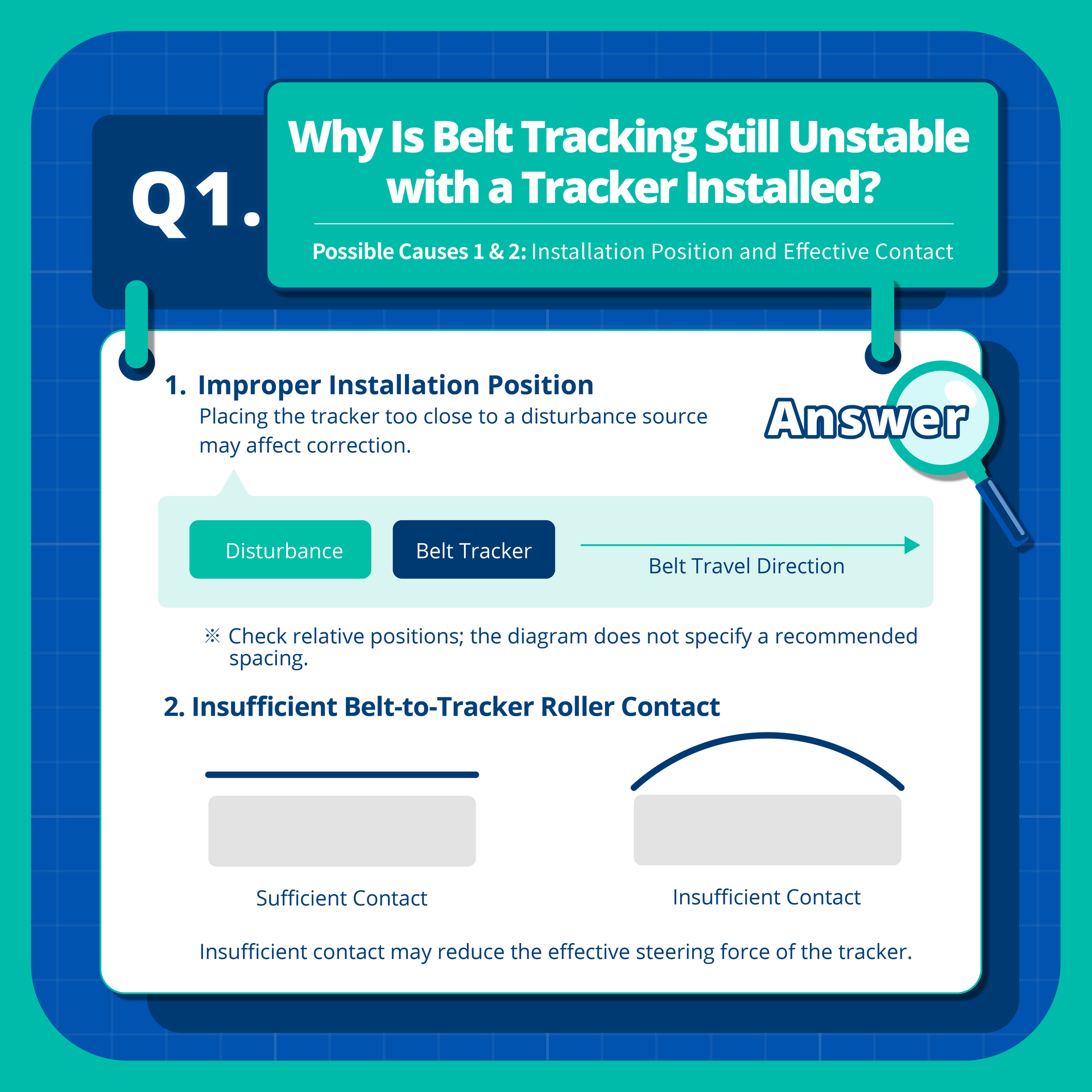
2. Insufficient Roller Contact: The Device Operates but Provides Limited Guiding Force
A tracking device relies on contact between the belt and roller to transmit the guiding force needed for correction. If contact is insufficient, the guiding force may remain inadequate even when the tracking mechanism moves normally.
This explains why a tracking device may visibly operate while the belt continues drifting toward one side. Poor contact may result from belt running height, tension, roller positioning, or the belt's cross-sectional shape. For example, improper contact with a return roller may limit the tracking device's effectiveness.
Contact conditions may also change during operation. A belt that appears properly seated when stopped may experience unstable contact due to vibration, tension changes, or belt deformation.
How to Check On-Site
Check both the tracking mechanism's operation and the belt's contact with the roller. If contact is uneven, examine installation height, roller position, belt shape, and tension to identify the cause.
Importantly, greater contact pressure does not necessarily improve tracking. Excessive pressure may increase friction and wear, so adjustments should follow equipment specifications.
3. Interference from Surrounding Equipment: Multiple Devices May Cause Repeated Corrections
Conveyor systems use various carrying idlers, return rollers, and training devices. Besides supporting the belt, these components may influence its running direction through their design, alignment, and contact conditions. If special return rollers or multiple training devices are installed near the tracking device, their guiding effects should be evaluated. For example, one training device may guide the belt toward the center while another, due to its angle or operating condition, pushes it in a different direction. This can cause repeated corrections along the conveyor.
It may also explain why the belt crosses the centerline after correction. Because upstream rollers influence the belt's running path, their guiding effects may continue downstream. If another device applies additional correction, the belt may move beyond the centerline toward the opposite side. Conflicting guiding forces can lead to side-to-side oscillation and unstable tracking despite repeated adjustments.
How to Check On-Site
Inspect the roller configuration upstream and downstream of the tracking device, looking for multiple training devices, special return rollers, or improperly aligned components. Observe changes in belt direction before and after each roller assembly to identify where additional guiding forces occur.
If several roller adjustments have been made, review the adjustment records to determine whether they interfere with one another. Special return rollers and multiple training devices are not inherently problematic. Their guiding effects must be compatible under actual operating conditions.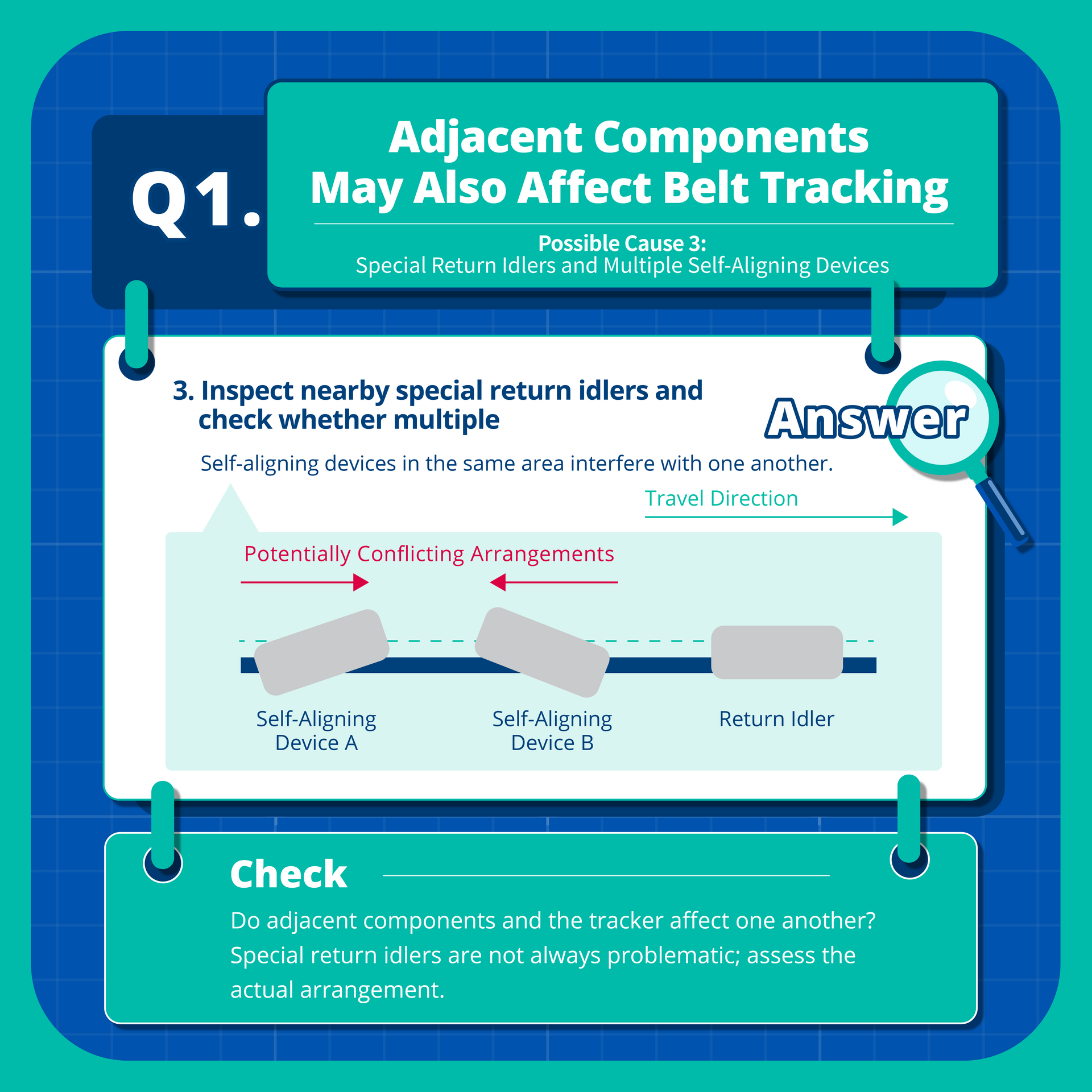
4. Belt Deformation and Edge Damage: Belt Condition May Limit Tracking Performance
Tracking performance also depends on the belt's physical condition.
Under normal conditions, the belt should maintain proper contact with rollers according to the conveyor's support configuration. Severe belt cupping, however, may change the contact area. Belt cupping refers to abnormal transverse curvature or curling that prevents the belt from maintaining its intended flat or troughed profile.
In return sections requiring relatively flat contact, transverse deformation may raise the belt's center, reduce contact in certain areas, or create uneven contact pressure. These conditions may reduce the roller's guiding effectiveness.
Severe edge wear, damage, or localized deformation should also be inspected to determine whether they affect belt contact and movement. Importantly, edge damage can also result from prolonged mistracking. When the belt continuously drifts toward one side and rubs against the conveyor structure, gradual edge wear may occur.
How to Check On-Site
Inspect the belt's cross-sectional shape for deformation and examine both edges for wear or damage. If the belt cannot maintain proper roller contact in certain sections, check for cupping, tension issues, or unsuitable support configurations.
Where significant structural damage exists, evaluate whether the belt requires repair or replacement. A tracking device can adjust belt direction but cannot repair physical belt damage.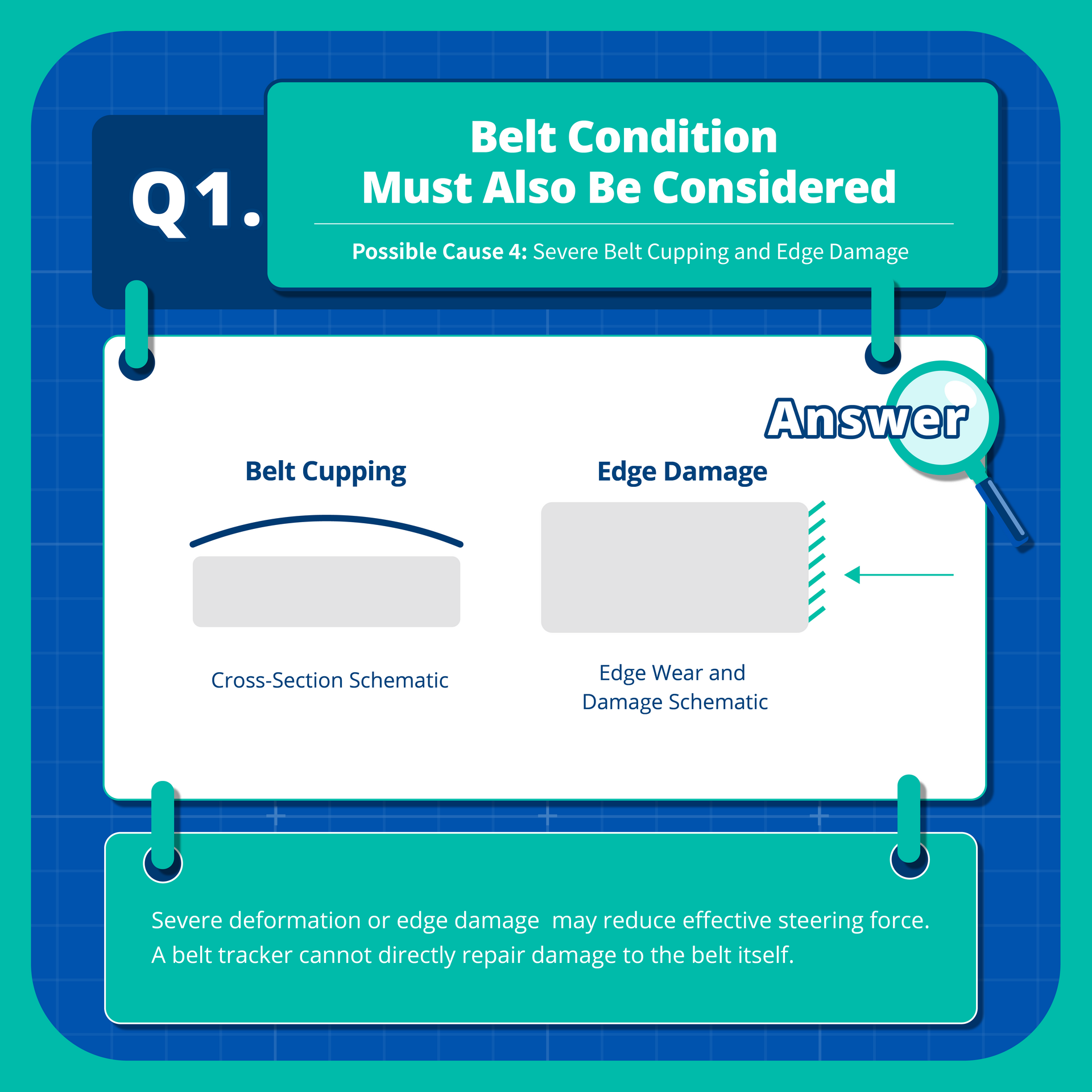
Q: How Can Automatic Belt Tracking Performance Be Improved?
When tracking performance is unsatisfactory, four key checks can help identify the cause and guide corrective action.
![]()
Check 1 | Verify Installation Position and Interference Sources
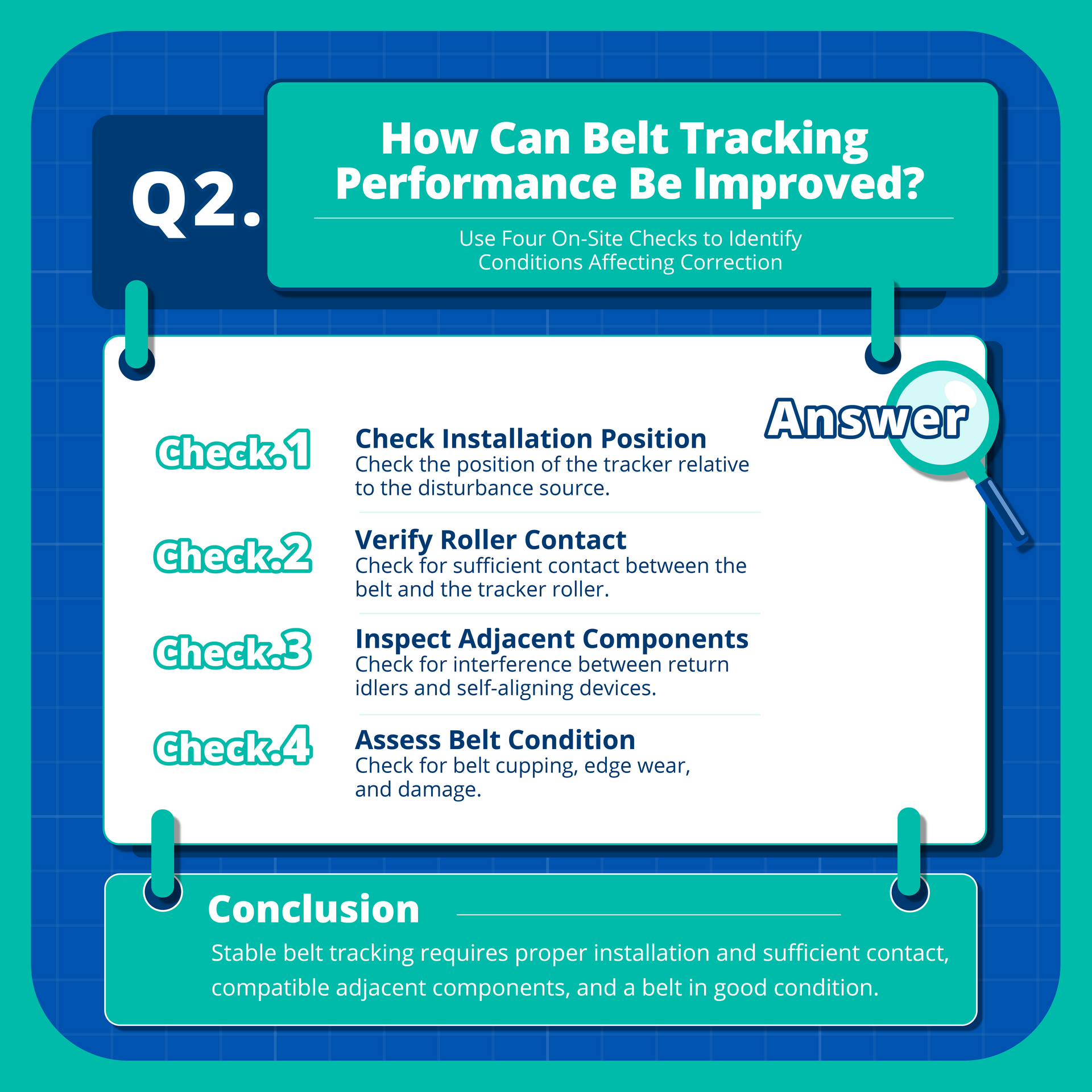
Record where and in which direction the belt begins to deviate. Inspect upstream equipment for misaligned components, material buildup, or other sources of lateral force.
If the tracking device is improperly positioned relative to an interference source, review installation requirements before considering repositioning or removing the disturbance.
Check 2 | Confirm Roller Contact and Guiding Effectiveness
Inspect belt contact with the tracking roller and confirm that the roller rotates properly. If contact is insufficient, determine whether installation position, belt shape, tension, or other factors are responsible before making adjustments.
Check 3 | Inspect Surrounding Equipment for Conflicting Guiding Forces
Check for special return rollers or multiple training devices near the tracking device. Observe how the belt behaves after passing each assembly. Record all adjustments and verify their results under safe conditions. Avoid changing several settings simultaneously, as this makes it difficult to assess each adjustment's effect.
Check 4 | Assess Belt Condition and Repair Requirements
Inspect the belt for cupping, edge wear, and localized damage.
If the belt cannot maintain proper roller contact, evaluate the damage and repair requirements before determining whether the existing tracking device remains suitable.
All inspections and adjustments must follow site safety procedures. Work involving belts, rollers, or mechanical components should be performed only after the required shutdown and energy isolation procedures are completed.
Stable Belt Tracking Starts with Understanding Actual Operating Conditions
Automatic belt tracking performance depends on installation position, belt-to-roller contact, surrounding equipment, and belt condition.
When the belt responds slowly, overcorrects, or oscillates, observe its movement along different conveyor sections. Identify where deviation begins, how it changes after passing equipment, and whether the tracking device maintains proper contact and guiding force. If the belt briefly returns to center but deviates again, inspect upstream and downstream equipment for persistent interference.}
Understanding belt deviation patterns, contact conditions, and the guiding effects of surrounding components helps maintenance teams narrow down potential causes and apply targeted corrective measures.
Stable conveyor operation requires proper coordination among components. Regular inspections of roller configurations, belt wear, and tracking device operation can help detect problems early and reduce wear and maintenance demands caused by persistent mistracking.